How to Download Twitter Videos
Step-by-step instructions for downloading public Twitter videos and single-photo posts
Quick 3-Step Process
-
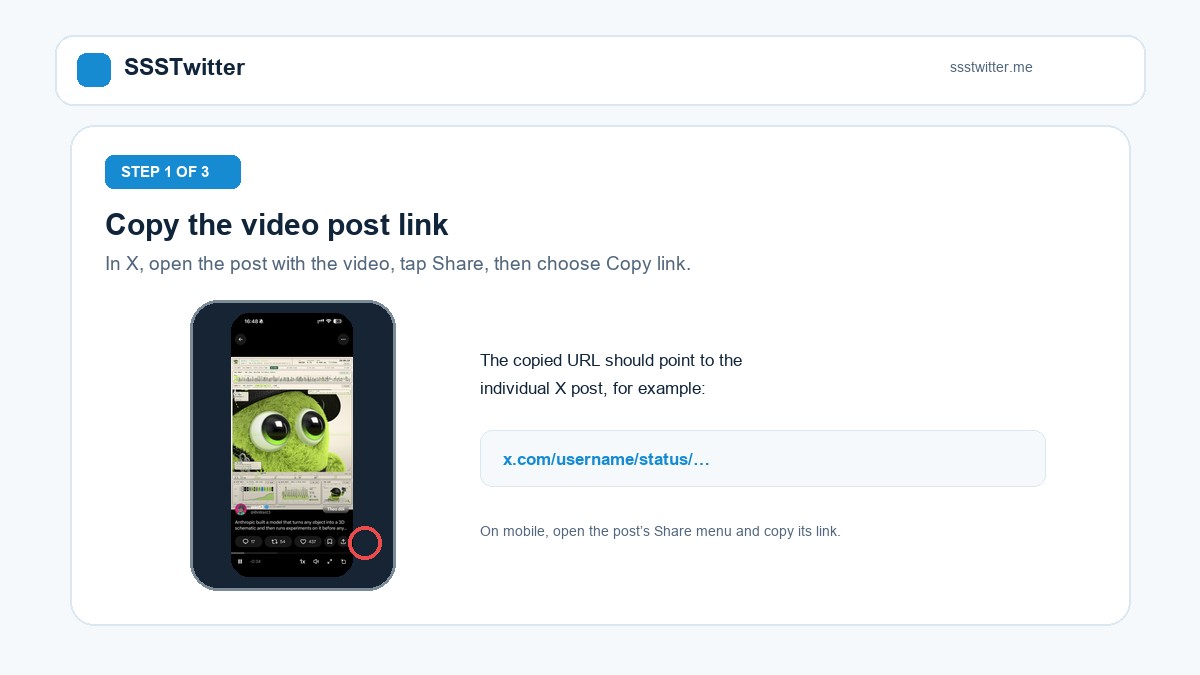
1. Copy the Tweet URL
Find the tweet and copy its public web address.
-
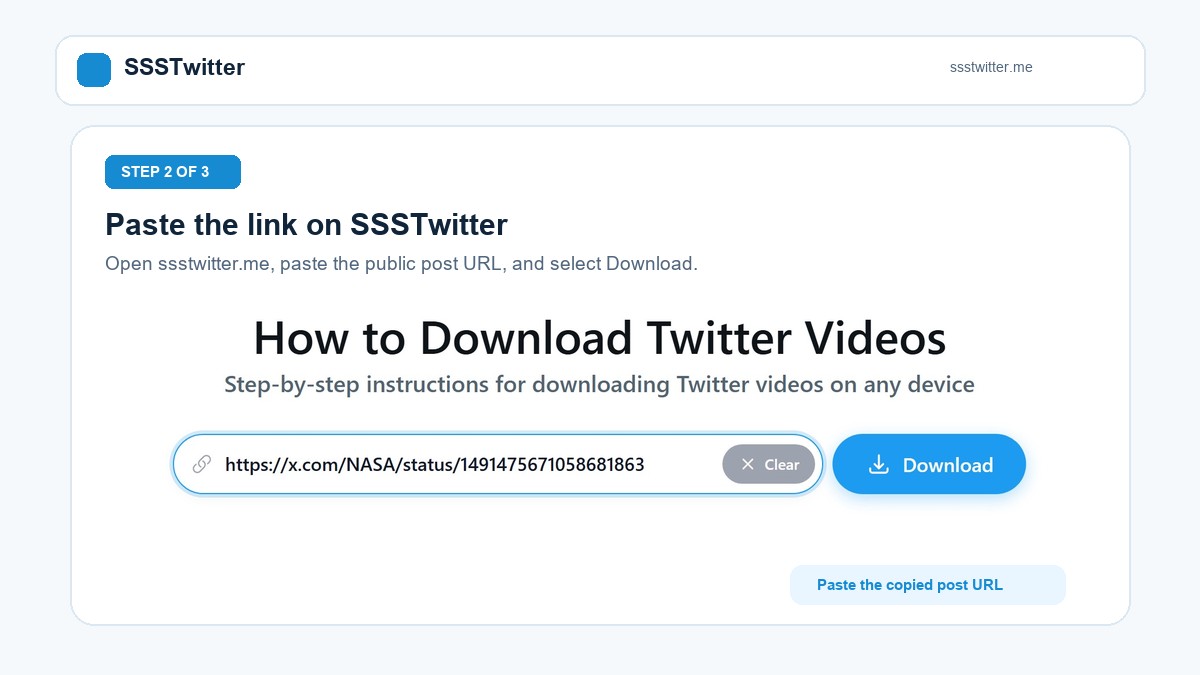
2. Paste into SSSTwitter
Visit ssstwitter.me and paste the URL into the input field.
-
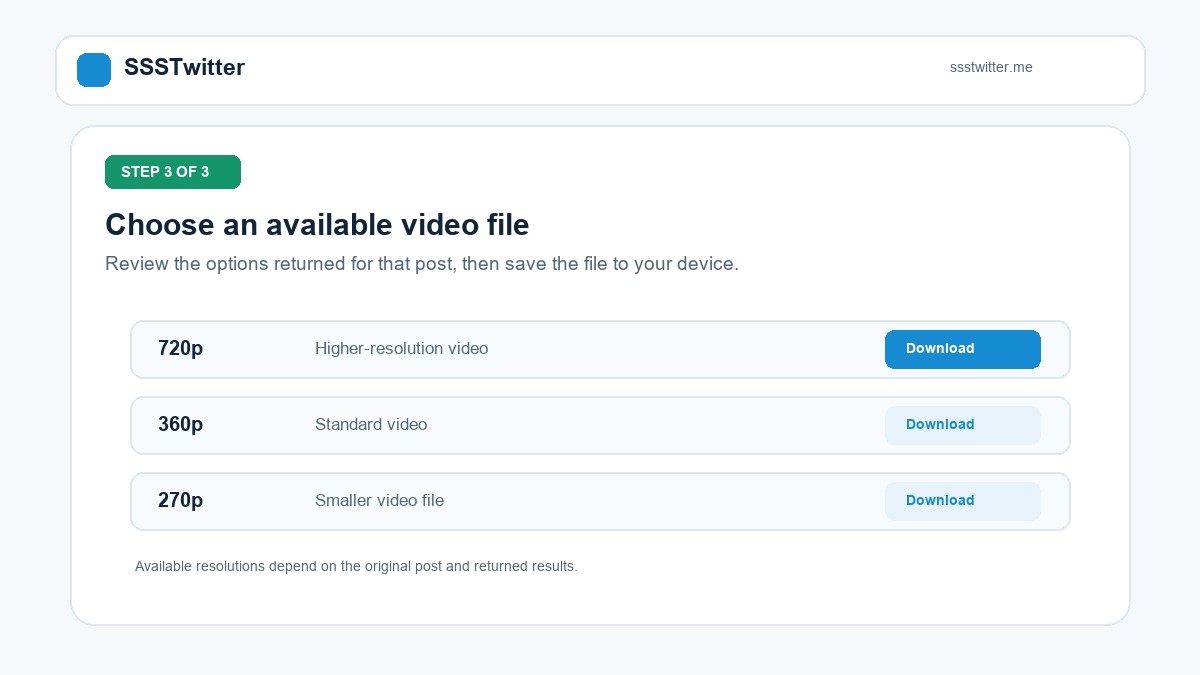
3. Download Your Media
Click Download and choose the resolution you want.
Step-by-Step Instructions Across Devices
iOS (iPhone & iPad)
Use Safari to download the MP4 file, then tap Share and Save Video to move it to your Photos app.
Android Smartphones
Use Chrome or your mobile browser to save 720p, 360p, or 270p MP4 files into your Downloads folder.
Windows PC & Mac
Paste the public tweet link in any desktop browser and choose from the three verified MP4 tiers.
Single-Photo Posts
The same input box also saves public single-photo tweets from pbs.twimg.com.
Complete Visual Guide to Downloading Twitter (X) Videos
Saving videos, animated GIFs, and photos from X (formerly Twitter) takes less than a minute when you know where to grab the link and which resolution to choose. Below is our complete visual walkthrough covering every step and operating system.

Step 1: Copy the Public Tweet Link
Open the X mobile application or visit x.com in your desktop browser. Locate the public post containing the video you want to save. Tap the Share icon (the arrow or share symbol beneath the post) and select Copy Link from the menu. Both x.com/.../status/... and twitter.com/.../status/... links are supported.
Step 2: Paste the Link into SSSTwitter
Open your web browser and go to ssstwitter.me. Tap or click inside the input field at the top of the page, paste the copied URL (or tap the Paste button), and press the blue Download button. SSSTwitter will read the public tweet and retrieve the available media streams.
Step 3: Choose a Real Quality Tier and Save
Once the preview loads, SSSTwitter displays the available download buttons. For standard video tweets, you can choose between three verified resolution levels: 720p HD (1280x720) for sharp widescreen or vertical playback, 360p SD (640x360) for balanced file size, or 270p SD (480x270) for fast mobile saving.
Detailed Instructions by Device
How to Save Twitter Videos on iPhone & iPad (iOS)
- Copy the video link from the X app using Share - Copy Link.
- Open Safari on your iPhone or iPad and visit ssstwitter.me.
- Paste the link into the box, tap Download, and tap your preferred MP4 quality (such as 720p HD).
- Tap Download on the Safari popup prompt. When the download finishes, tap the blue download arrow icon in the Safari address bar, open the video file, tap the Share icon in the lower-left corner, and tap Save Video to place it in your iOS Photos Camera Roll.
How to Save Twitter Videos on Android
- In the X app, tap the Share icon beneath the video and tap Copy Link.
- Open Chrome (or any Android browser) and navigate to ssstwitter.me.
- Paste the URL, tap Download, and select 720p, 360p, or 270p. The MP4 file saves directly to your Downloads folder and Gallery.
How to Save Twitter Videos on Windows PC & Mac
- Open x.com in Chrome, Edge, Firefox, or Safari and copy the link of the video tweet.
- Go to ssstwitter.me, paste the URL with
Ctrl+V(orCmd+Von Mac), and click Download. - Click your chosen resolution button to save the MP4 to your computer Downloads folder.

Troubleshooting Common Download Issues
- "This video is unavailable" message: This appears if the tweet was deleted, belongs to a protected (private) account, contains no media, or is restricted in your region. Check that the tweet opens publicly in an incognito browser window.
- Saving animated GIFs or Photos: Use our dedicated Twitter GIF Downloader for looping animations or the Twitter Photo Downloader for full-size images.
Understanding the Three Verified Video Resolutions
When you test a public video tweet on SSSTwitter, the results table displays three distinct MP4 download buttons. We verified all three files using ffprobe and MD5 hashes to confirm that each button delivers a genuinely different resolution and file size:
- 1280x720 (720p HD): The highest resolution among the three tiers (1.39 MB in our test sample), recommended for desktop monitors, tablets, and sharp mobile playback.
- 640x360 (360p SD): A balanced mid-size MP4 file (505 KB in our test sample) that transfers quickly and plays smoothly across all smartphones.
- 480x270 (270p SD): A compact file (229 KB in our test sample) designed for saving mobile data or sharing over messaging apps with file size limits.
All returned video download links point directly to Twitter media servers (video.twimg.com) with a temporary expiration tag (?tag=). For single-image posts, our test on a public NASA photo tweet confirmed that the tool returns the 1024x1024 PNG image file (437 KB) from pbs.twimg.com. Please note that dedicated GIF posts, multi-photo carousels (2 to 4 images), and live broadcasts have not been tested yet.
How Audio and MP3 Options Work on SSSTwitter
On SSSTwitter, the "Convert to MP3" button only appears when the backend receives a non-null mp3_url from the source post. In our verification with a public NASA video tweet that included sound, mp3_url was null because Twitter almost never provides a separate audio-only stream for regular video tweets. Instead of renaming an MP4 video file with a fake .mp3 extension, the tool hides the MP3 button when no separate audio stream exists and lets you save the compact 270p (229 KB) or 360p (505 KB) MP4 video file with synchronized audio.