Check Twitter Audio & Video Options
Check public X links for audio options or save compact MP4 clips (270p, 360p, 720p)
How to check audio and compact MP4 options from X
-
Step 1: Copy Public Tweet Link
Copy the direct status link of the public X post containing video and sound.
-
Step 2: Paste URL into SSSTwitter
Paste the link into the input box above and click Download to inspect available streams.
-
Step 3: Choose Available Option
Select the MP3 button if a separate audio stream is returned, or save the compact 270p/360p MP4 file.
How Audio and Compact Video Options Work on X
Conditional MP3 Button
The MP3 button appears only when the backend returns a non-null mp3_url for the post.
Compact MP4 With Sound
When no separate audio track exists, save the 270p (229 KB) or 360p (505 KB) MP4 video with audio.
No Fake File Extensions
SSSTwitter does not relabel an MP4 video stream as a fake .mp3 file when mp3_url is null.
Browser-Based Utility
Check public X links directly on iPhone, Android, Windows, or Mac without installing software.
Check Audio and Video Media Options from Twitter (X) Posts
Many valuable tweets on X (Twitter) feature press interviews, educational seminars, conference speeches, and podcast commentary where the spoken audio content is the primary focus. SSSTwitter provides an accessible web utility that inspects public tweet links to check for available audio streams or deliver compact MP4 video clips with clear synchronized sound for convenient offline listening. By operating directly through your web browser, our tool eliminates the need for cumbersome software installations or third-party processing utilities.

Technical Realities of Twitter Audio and Media Streams
Understanding how media is packaged on X (Twitter) helps users make the best selection for their listening and archiving needs:
- Integrated Video Containers: Unlike audio-dedicated hosting platforms, Twitter packages nearly all uploaded multimedia as integrated MP4 video containers pairing H.264 video streams with AAC audio tracks. Standalone MP3 files are generally not generated natively by Twitter servers.
- Stream Inspection and Detection: When a link is entered, SSSTwitter inspects the media response to check whether standalone audio tracks are exposed. If no standalone audio stream is delivered, the tool provides compact video alternatives (such as 270p SD or 360p SD) that feature complete synchronized audio while maintaining small download footprints.
- Preserving Audio Fidelity: The sound quality of any delivered track preserves the bitrate provided by the source upload. SSSTwitter extracts media directly as provided by Twitter servers without introducing artificial processing or signal loss.
How to Check and Download Media Options in 3 Steps
Inspecting and saving audio or video media from a public tweet requires only three simple steps:
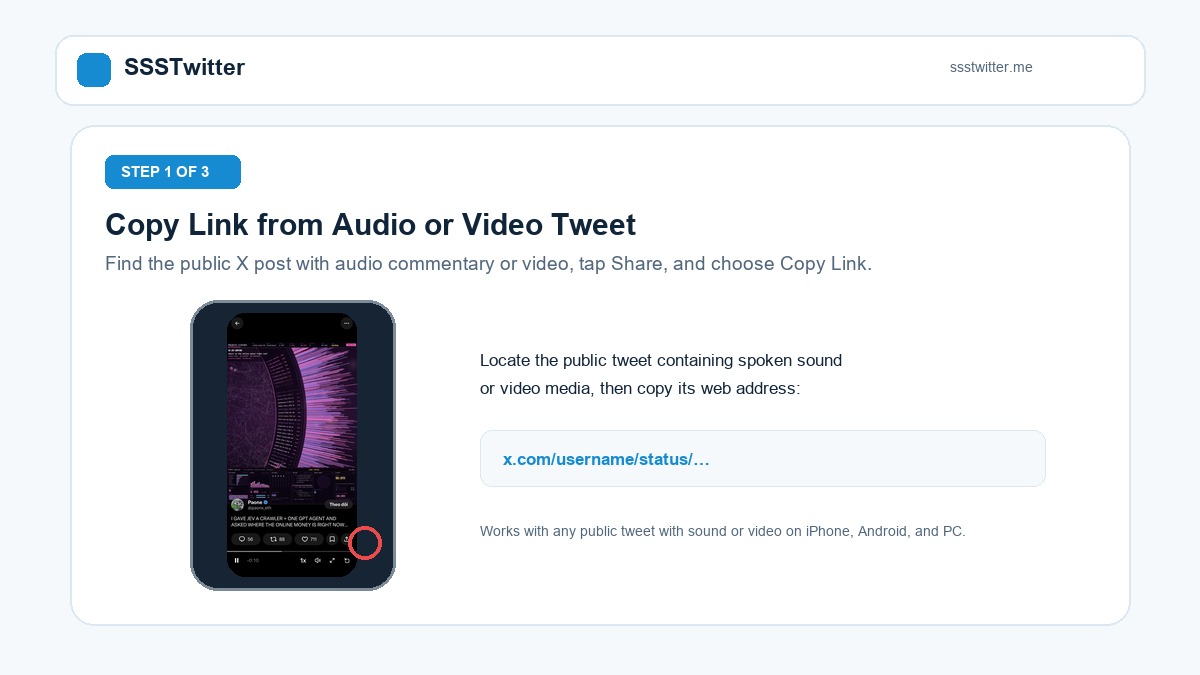
Step 1: Copy Link from Public Tweet
Find the post containing the spoken audio or video clip on X, tap or click the Share icon beneath the tweet, and select Copy Link.
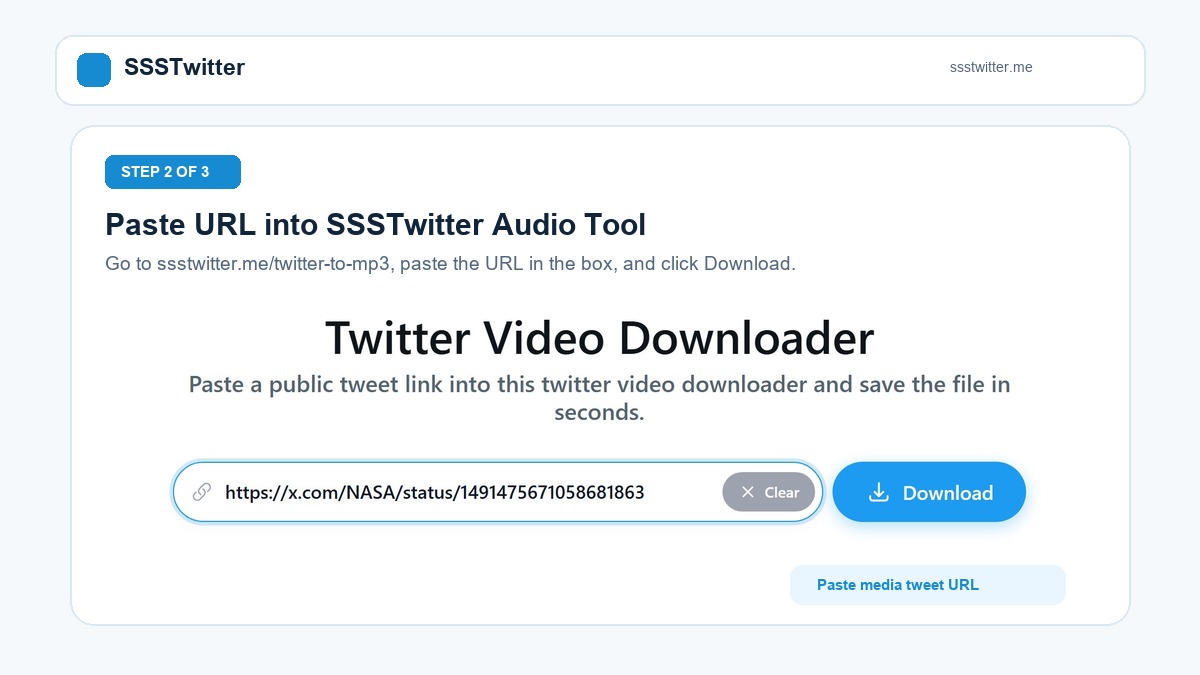
Step 2: Paste URL into SSSTwitter
Open the SSSTwitter media checker page in your web browser, paste the copied link into the search bar, and click the Download button.
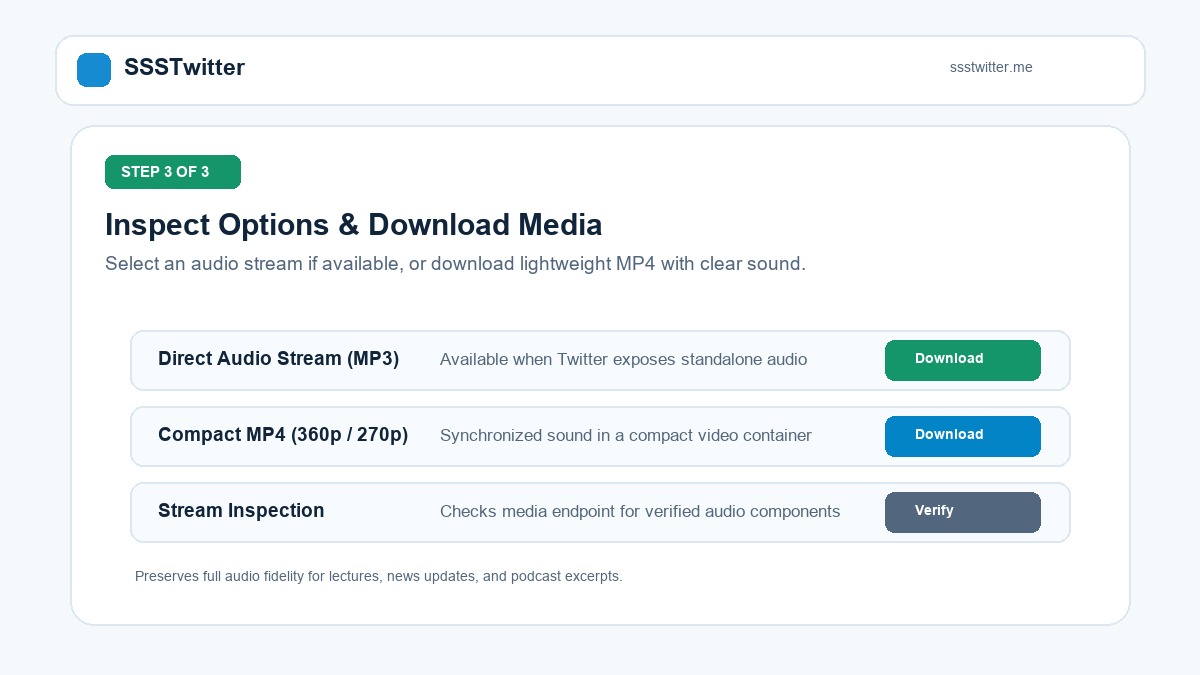
Step 3: Review Available Options & Save
Inspect the delivered options. If an audio stream is exposed, select the audio download; otherwise, choose a lightweight 270p SD or 360p SD MP4 file with full synchronized sound for offline listening.

Device Playback and Offline Listening Guide
Downloaded media files can be enjoyed across all your devices using standard playback software:
On iPhone and iPad (iOS Safari):
Paste the tweet link into Safari and initiate the download. Once the transfer completes in Safari Download Manager, tap the file to open the media player. Tap the Share button and select Save to Files to archive the media in your iCloud Drive or local device folders. Files stored in the iOS Files app can be played in the background while your screen is locked, making it easy to listen to long discussions on the go.
On Android Devices:
Using Google Chrome or any modern mobile browser, download the file directly to your device. The media file will be stored in your default Downloads directory, where it can be opened by native music players, media organizers, or podcast apps for smooth offline playback.
On Windows PC and macOS:
On desktop computers, save the file to your designated Downloads or Music folder. Standard media software such as VLC Media Player, Windows Media Player, QuickTime, or iTunes will play the file immediately with full audio fidelity.
Why Spoken Commentary and Audio Media Flourish on X
The platform has evolved into a global town square where real-time analysis, breaking announcements, and audio commentary play pivotal cultural and professional roles:
- Public Speeches and Press Briefings: World leaders, industry executives, investigative journalists, and financial analysts routinely post video statements where spoken remarks contain the critical information. Listening to clear audio recordings allows researchers to quote and analyze statements with high fidelity.
- Podcast Excerpts and Spoken Clips: Creators frequently share highlight excerpts of long-form audio programming to engage followers and spark discourse. Preserving these segments helps listeners build offline archives of educational insights.
- Compact Storage Efficiency: Choosing low-bandwidth 270p SD video clips allows users to store dozens of educational talks and interviews on mobile devices with negligible storage consumption while retaining full audio intelligibility.
Platform Limitations and Unsupported Media Types
Please keep the following technical limits in mind when using the stream inspection tool:
- Live Spaces Streams: Live, unrecorded Twitter Spaces conversations cannot be parsed as complete media files until the host ends the space and publishes an official recorded post.
- Silent GIF Animations: Looping GIF animations on Twitter are stored as silent MP4 video files and do not contain any audio data.
- Private or Deleted Tweets: Media from protected Twitter accounts or posts that have been deleted by their authors cannot be accessed by external web tools.
Fair Use and Intellectual Property Notice
Spoken recordings, interviews, music excerpts, and commentary published on X are protected by copyright and belong to their respective creators. SSSTwitter is provided solely for personal research, educational study, private review, and lawful offline archiving. Users are responsible for complying with fair use guidelines and respecting original intellectual property.