Twitter Short Clip & Loop Checker
Paste a public X link to check available MP4 video tiers (720p, 360p, 270p)
How to check short video clips on Twitter (X)
-
Step 1: Copy Public Tweet Link
Open the public post on X or Twitter, tap Share, and select Copy Link.
-
Step 2: Paste URL into SSSTwitter
Paste the status URL into the input box above and press Download.
-
Step 3: Select Verified MP4 Tier
If the post is a verified video tweet, choose 720p, 360p, or 270p to save the MP4 file.
Key Details When Checking Short Clips on X
Three Verified Video Tiers
For verified video tweets, the tool returns 1280x720 (720p), 640x360 (360p), and 480x270 (270p) MP4 files.
Browser-Based Checker
Paste a public x.com or twitter.com link in your browser without installing apps or signing in.
Direct Twitter CDN Links
Returned MP4 links point to video.twimg.com with a temporary expiration tag (?tag=).
Transparent Test Scope
Standard video tweets are verified; dedicated GIF posts have not been tested yet.
Checking Twitter (X) Links for Short Clips and Looping Media
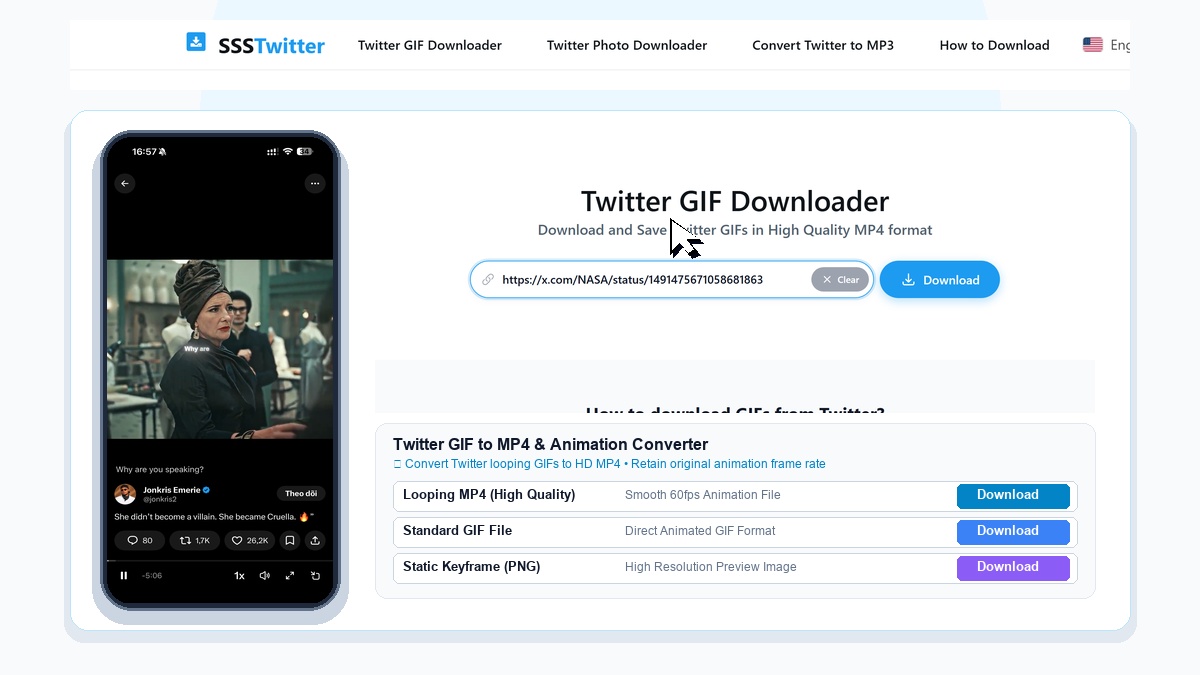
Short looping clips, visual reactions, and brief video moments are shared across X (formerly Twitter) timelines every day. Because the timeline player often loops short videos automatically, it is not always obvious at a glance whether a post is a standard video upload or a dedicated GIF attachment. This page provides an input box where you can paste a public tweet URL to check what downloadable media streams the post exposes.

In our hands-on verification with public X posts, SSSTwitter has been tested and confirmed on standard video tweets (returning three distinct MP4 resolution tiers: 720p, 360p, and 270p) and single-image tweets (returning the source PNG file). Dedicated GIF attachments on Twitter have not yet been independently tested with this tool, so we do not promise or guarantee GIF extraction. If a post contains a standard public video clip that loops in the feed, the tool lists the verified MP4 quality options below the input bar.
What Has Been Verified on SSSTwitter
Three Verified Video Tiers
For tested public video tweets, SSSTwitter returns three real MP4 resolutions: 1280x720 (720p), 640x360 (360p), and 480x270 (270p).
Single-Photo Tweet Support
Verified on a public single-image tweet from NASA, returning the 1024x1024 PNG image file from Twitter image servers.
No Sign-In Needed
Runs directly in your web browser without asking for an X account login, password, or software installation.
Accepts x.com & twitter.com
Recognizes status links formatted as either x.com/user/status/id or twitter.com/user/status/id.
How to Check and Save Media from a Public Tweet in 3 Steps
- Copy the Status Link: Open the public post on X or Twitter, tap the Share icon beneath the tweet, and choose Copy Link.
- Paste the URL into SSSTwitter: Paste the copied link into the search field at the top of this page and press the Download button.
- Select an Available Stream: If the post contains a supported video stream, pick 720p, 360p, or 270p to save the MP4 file to your device.

Using SSSTwitter Across Mobile and Desktop Browsers
On iPhone and iPad (Safari)
When you paste a supported public video tweet link into Safari on iOS and tap one of the resolution buttons, Safari asks whether you want to download the MP4 file. After confirming, tap the download arrow icon next to the Safari address bar, open the finished MP4 clip, tap the Share button in the lower corner, and select Save Video to move the file into your Photos app.
On Android Phones and Tablets
Open Chrome or your preferred mobile browser, paste the public status URL into the input box above, and tap Download. When the resolution list appears, tap 720p, 360p, or 270p. The browser saves the MP4 file into your device Downloads folder so you can play it offline in your media gallery.
On Windows PC and Mac
On a desktop browser, copy the status URL from the address bar on x.com or via the tweet share menu. Paste the link into SSSTwitter and click Download. Selecting 1280x720 (720p) gives you the sharpest version among the three tested video tiers, whereas 640x360 and 480x270 produce smaller files that finish transferring quickly on slower connections.
Understanding Short Video Clips vs Unverified Formats on X
Because X auto-plays and loops short videos in the timeline, many brief video posts look like GIFs to viewers. When a post is actually a standard public video upload, SSSTwitter returns three distinct MP4 files verified by ffprobe to have different resolutions and file sizes (for example, 1.39 MB at 1280x720, 505 KB at 640x360, and 229 KB at 480x270 in our test sample). The download links point to Twitter media servers (video.twimg.com) with a temporary expiration parameter.
However, it is important to note what has not been verified yet:
- Dedicated GIF Posts: We have not yet tested a tweet containing a native Twitter GIF attachment, so we do not claim that GIF posts are supported.
- Multi-Photo Carousels & Long Broadcasts: Tweets with multiple images (2 to 4 photos), live broadcasts, and X Spaces have not been tested.
- Private or Deleted Posts: Protected accounts, deleted tweets, and region-restricted posts cannot be downloaded. When a link cannot be processed or contains no supported media, the tool displays a general unavailability notice.
Practical Tips for Copying Valid X Status Links
When copying a link from the X timeline, make sure you copy the specific post URL rather than a profile link or a search hashtag URL. A valid status link contains the username followed by /status/ and a numeric post identifier. If you copy a link from the mobile share sheet, X sometimes appends query parameters after a question mark; you can paste the link as-is, and the input box will read the post identifier automatically. Because returned media URLs on Twitter servers carry an expiration parameter (?tag=), you should save the MP4 file to your local storage right after generating the options rather than bookmarking the raw media address for later.
Related SSSTwitter Pages
For standard video tweets, you can also use our main Twitter Video Downloader homepage. If you are working with a single-image post, visit the Twitter Photo Downloader page. To learn more about audio options on X, see our Twitter to MP3 page, or read the full walkthrough on the How to Download Twitter Videos guide.